
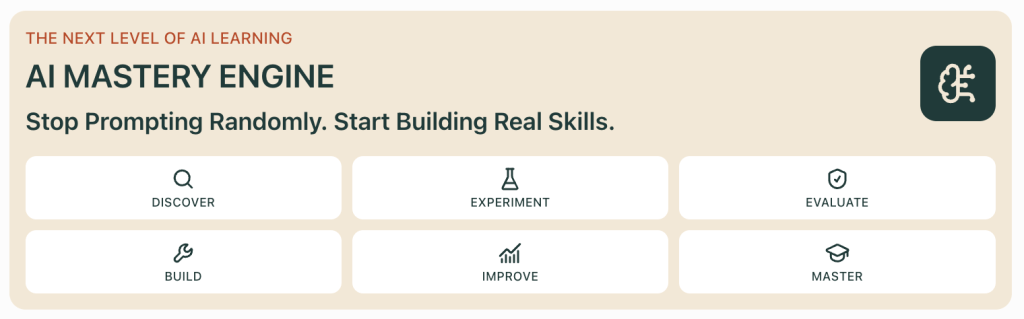
A practical guide to developing AI proficiency through structured learning, hands-on experimentation, critical thinking, and real-world application.
Everyone Is Using AI. But How Many People Are Actually Mastering It?
Artificial intelligence has become one of the most accessible technologies in history.
You can open an AI assistant, describe a problem, and receive a response in seconds.
You can generate code, summarize documents, analyze information, create content, and explore unfamiliar subjects without specialized software.
But here’s an important question:
Does using AI every day mean you’re becoming better at using AI?
Not necessarily.
Imagine two people who have been using AI for six months.
The first person asks questions, copies responses, and occasionally generates content.
The second person experiments with different instructions, tests outputs, identifies mistakes, builds reusable workflows, and learns to evaluate when AI is useful—and when it isn’t.
Both use AI regularly.
But they’re developing very different skills.
The difference is intentional practice.
That’s the idea behind my new learning resource:
AI Mastery Learning Engine
https://discoveryvip.com/ai-mastery-engine/#discover
The goal is to encourage a more structured approach to developing AI capabilities, moving beyond isolated prompts toward deeper understanding and practical application.
In this article, we’ll explore what AI mastery actually means, the skills worth developing, practical exercises you can try immediately, and a framework for progressing from beginner experimentation to confident AI-assisted problem-solving.
1. What Does It Actually Mean to Master AI?
AI mastery doesn’t mean knowing every model, platform, or new feature.
The technology changes too quickly for that to be a realistic goal.
Instead, AI mastery means developing transferable skills that remain useful even as the tools evolve.
Consider six important capabilities.
| Capability | What it means in practice |
|---|---|
| Problem framing | Clearly defining what you’re trying to accomplish |
| Context engineering | Providing the right information, constraints, and examples |
| AI interaction | Choosing effective instructions and interaction patterns |
| Critical evaluation | Identifying errors, unsupported claims, and weak reasoning |
| Workflow design | Connecting AI to repeatable processes and other tools |
| Independent judgment | Knowing when to accept, revise, verify, or reject an AI response |
These capabilities reinforce one another.
For example, writing a better prompt can improve an output.
But knowing how to evaluate the output is just as important.
And understanding how to integrate that result into a workflow creates another level of value.
AI mastery isn’t about getting impressive answers. It’s about producing dependable results while understanding the process.
2. The First Skill: Learn to Define Problems Before Writing Prompts
Many disappointing AI results begin before the prompt is written.
The user hasn’t clearly defined the problem.
Consider this request:
“Help me improve productivity.”
It’s understandable, but extremely broad.
What kind of productivity?
Which activities?
What constraints?
What would improvement look like?
Now compare it with:
“I manage several projects and spend approximately five hours each week preparing status updates. I want to reduce repetitive reporting while preserving accuracy and ensuring that risks are reviewed before reports are distributed.”
The second description provides a much stronger foundation.
It identifies the problem, context, current process, and desired improvement.
The five-question problem-framing method
Before asking AI to solve a substantial problem, answer these questions:
- Objective: What specific result do I want?
- Context: What information does the AI need?
- Constraints: What limitations must be respected?
- Evidence: How will I know the result is correct?
- Application: What will I do with the result?
Practical example: Creating a learning plan
A weak request:
“Teach me JavaScript.”
A stronger request:
I want to learn JavaScript well enough to build
interactive browser applications.

Current experience:
Basic HTML and CSS.

Available time:
30 minutes per day.

Learning preferences:
Hands-on coding exercises and small projects.

Requirements:
- Begin with fundamentals.
- Include practical examples.
- Ask me to predict code behavior.
- Give hints before full solutions.
- Include a project every five lessons.
- Test my understanding before advancing.

Success criteria:
I can independently build, explain, debug,
and modify a small JavaScript application.

Create a four-week learning plan.
This prompt isn’t better simply because it’s longer.
It’s better because it communicates useful information.
Try this exercise
Choose three prompts you’ve used recently.
For each one, identify what information was missing.
Rewrite the prompt using the five-question method.
Then compare the outputs.
Look for improvements in relevance, specificity, and usefulness.
3. Context Engineering: Why Better Information Often Matters More Than Better Wording
Prompt engineering receives a great deal of attention.
But another important skill is context engineering.
Context engineering involves deciding what information an AI system should receive, how that information should be organized, and what it should treat as authoritative.
Imagine asking AI:
“Summarize the risks in this project.”
Without project information, the model can only produce generic possibilities.
Now imagine providing:
- Project objectives.
- Current milestones.
- Recent progress updates.
- Known blockers.
- Dependencies.
- Budget constraints.
- Risk definitions.
The model can now analyze a more meaningful situation.
A practical context structure
Use this template:
TASK:
What I need you to do.

BACKGROUND:
Relevant information about the situation.

SOURCE INFORMATION:
Facts, documents, data, or examples
that should inform the response.

CONSTRAINTS:
Rules, limitations, and exclusions.

OUTPUT FORMAT:
How the result should be organized.

VERIFICATION:
What should be checked before
the response is considered complete.
Example: Project risk analysis
TASK:
Identify the three most significant
risks in the project update.

BACKGROUND:
This is a six-week software implementation.

SOURCE INFORMATION:
Milestone 1: Completed.
Milestone 2: Two days late.
Milestone 3: Waiting on vendor API access.
Testing: Scheduled to begin next week.

CONSTRAINTS:
Use only the information supplied.
Do not invent project facts.

OUTPUT FORMAT:
Return a table containing:
Risk, Evidence, Impact, Recommended Action.

VERIFICATION:
Distinguish confirmed issues from
potential risks and assumptions.
Notice the verification instruction.
The AI should not treat a possibility as a confirmed fact.
That distinction is essential in professional environments.
An important principle
Better context reduces ambiguity, but it doesn’t guarantee correctness.
Even with good information, AI outputs still require appropriate evaluation.
4. Move Beyond One Prompt: Learn Through Controlled Experiments
One of the most effective ways to understand AI is to experiment systematically.
Instead of changing everything in a prompt, change one element at a time.
For example, suppose you want AI to summarize a technical article.
Start with a baseline prompt.
Experiment A: Basic instruction
Summarize this article.Experiment B: Add an audience
Summarize this article for a beginner
who understands basic programming.
Experiment C: Add structure
Summarize this article for a beginner.

Include:
- Main concept.
- Three important ideas.
- One practical example.
- Two common misunderstandings.
Experiment D: Add verification
Summarize this article for a beginner.

Include:
- Main concept.
- Three important ideas.
- One practical example.
- Two common misunderstandings.

Use only the supplied article.
Do not invent facts.
Identify anything the article does not explain.
Now compare the results.
Which response is most useful?
Which introduces unsupported information?
Which is easiest to understand?
Which follows the requested format?
Create a simple evaluation table
| Criterion | A | B | C | D |
|---|---|---|---|---|
| Accuracy | Test | Test | Test | Test |
| Clarity | Test | Test | Test | Test |
| Completeness | Test | Test | Test | Test |
| Format compliance | Test | Test | Test | Test |
| Unsupported claims | Test | Test | Test | Test |
Use the same source article and evaluation criteria for each experiment.
Where possible, repeat tests because AI responses may vary between runs.
The purpose isn’t simply to declare a winner.
It’s to understand which changes produce measurable improvements.
This is where casual prompting begins to become deliberate AI skill development.
5. The Most Overlooked AI Skill: Knowing When the Answer Is Wrong
AI can produce extremely convincing responses.
That doesn’t mean those responses are correct.
A well-written explanation can contain factual errors.
A generated code example can contain bugs.
A financial calculation can use incorrect assumptions.
A summary can omit an important exception.
An answer can cite information that doesn’t support the claim.
This creates a fundamental requirement for AI proficiency:
You must be able to evaluate the output, not just generate it.
Five questions to ask about AI responses
1. Is it factually accurate?
Can the important claims be verified?
2. Does it answer the actual question?
A detailed response can still miss the objective.
3. Are the assumptions reasonable?
Did the AI introduce information that wasn’t supplied?
4. Is anything important missing?
Are there exceptions, limitations, or alternative explanations?
5. Can the result be tested?
For code, run tests.
For calculations, verify the arithmetic.
For research, inspect reliable sources.
For recommendations, check the assumptions and constraints.
Example: Evaluating AI-generated JavaScript
Suppose AI generates this function:
function calculateAverage(numbers) {
  const total = numbers.reduce(
    (sum, number) => sum + number,
    0
  );

  return total / numbers.length;
}
It works for many inputs.
But what happens with an empty array?
calculateAverage([]);The result is NaN.
A more robust implementation should define how empty inputs are handled.
function calculateAverage(numbers) {
  if (!Array.isArray(numbers)) {
    throw new TypeError(
      "Expected an array"
    );
  }

  if (numbers.length === 0) {
    return null;
  }

  if (!numbers.every(Number.isFinite)) {
    throw new TypeError(
      "All values must be finite numbers"
    );
  }

  const total = numbers.reduce(
    (sum, number) => sum + number,
    0
  );

  return total / numbers.length;
}
The important lesson isn’t that AI writes bad code.
It’s that a working example isn’t proof that a solution is complete.
Practice challenge
Ask AI to create a JavaScript function that calculates a percentage discount.
Then test:
- Normal values.
- Zero values.
- Negative numbers.
- Missing inputs.
- Invalid data types.
- Values outside expected ranges.
Ask AI to explain the failures.
Then revise the function and test again.
This exercise combines prompting, programming, evaluation, and debugging.
6. AI Mastery Requires Understanding Workflows, Not Just Conversations
Many people interact with AI one question at a time.
They ask something.
Receive a response.
Copy the result.
Open another application.
Repeat.
But much of AI’s practical value comes from connecting tasks into repeatable workflows.
Example: A weekly project reporting workflow
Imagine a manager who prepares a weekly project report.
The manual process might involve:
- Collecting updates.
- Reviewing spreadsheets.
- Identifying delays.
- Comparing progress against milestones.
- Drafting a summary.
- Checking the summary.
- Sending the report.
AI can assist with several stages.
But the workflow still needs structure.
A possible design is:
COLLECT → VALIDATE → ORGANIZE → ANALYZE → DRAFT → VERIFY → APPROVE → DISTRIBUTE
Each stage has a purpose.
Why this matters
Without validation, incorrect information can enter the workflow.
Without verification, AI may produce unsupported conclusions.
Without approval, consequential information may be distributed prematurely.
Without error handling, one failed step may disrupt the entire process.
The goal isn’t to automate everything indiscriminately.
It’s to design a process that uses AI where it adds value while retaining appropriate controls.
Practical workflow exercise
Choose one repetitive task from your work or personal projects.
Map the process.
For every step, ask:
- Does this require human judgment?
- Is it a deterministic calculation?
- Could AI assist with interpretation or drafting?
- What information is needed?
- How would I detect an error?
- What should happen if the step fails?
This exercise helps identify where AI is useful and where conventional automation may be more appropriate.
7. Learn the Difference Between AI Assistance and AI Agents
AI assistants and AI agents are often discussed as though they’re interchangeable.
But there’s an important distinction.
An AI assistant typically responds to a user request.
An agentic system may plan or select actions, use tools, observe results, and continue toward a defined objective within configured boundaries.
For example:
AI assistant:
“Summarize these support tickets.”
Agentic workflow:
“Review new support tickets, categorize them, retrieve relevant guidance, prepare suggested responses, and route uncertain cases for human review.”
The second process involves multiple steps and decisions.
But increased autonomy also introduces risks.
A system that can take actions needs clearly defined permissions, boundaries, monitoring, and approval mechanisms.
The autonomy ladder
| Level | Example |
|---|---|
| 1. Generate | AI drafts a response |
| 2. Recommend | AI suggests an action |
| 3. Prepare | AI creates an action for review |
| 4. Execute with approval | AI acts after explicit authorization |
| 5. Bounded autonomy | AI performs permitted actions within defined limits |
More autonomy isn’t automatically better.
The appropriate level depends on the task, risk, reversibility, and consequences of failure.
A useful AI practitioner understands these tradeoffs.
8. Use AI to Learn Faster Without Becoming Dependent on It
AI can be a powerful educational tool.
It can explain concepts, generate examples, suggest practice activities, and provide feedback.
But there’s a potential problem.
If AI performs every difficult step, learners may complete more tasks while developing less independent capability.
This is one of the reasons I developed the Vibe Learning approach.
The objective is to use AI to support meaningful learning rather than replace the effort required to develop understanding.
A practical learning cycle
DISCOVER → UNDERSTAND → PREDICT → APPLY → EVALUATE → REFLECT → TRANSFER
Let’s apply it to learning a new AI concept.
Suppose you’re exploring retrieval-augmented generation, or RAG.
Discover: Learn what RAG is and why it is useful.
Understand: Examine the roles of document chunking, indexing, retrieval, and generation.
Predict: Consider what might happen if the retrieval system returns irrelevant documents.
Apply: Build a small document-search experiment.
Evaluate: Compare retrieved evidence with expected results.
Reflect: Identify which configuration decisions affected performance.
Transfer: Apply the same approach to another document collection.
The process encourages deeper understanding.
A reusable AI learning coach prompt
Act as my AI mastery coach.

I want to develop practical skills in:
[TOPIC]

My current experience:
[LEVEL]

My goal:
[GOAL]

Guide me through a structured learning process.

Rules:
1. Explain concepts clearly and concisely.
2. Ask me to predict outcomes.
3. Give me practical exercises.
4. Do not immediately reveal solutions.
5. Provide hints when I struggle.
6. Help me evaluate my attempts.
7. Identify misunderstandings.
8. Introduce increasingly difficult challenges.
9. Ask me to explain what I learned.
10. Give me a new problem that tests transfer.

Prioritize independent understanding
over simply completing tasks.
This prompt can be adapted to almost any technical subject.
9. Build an AI Skill Portfolio Instead of Collecting Certificates
How do you demonstrate AI proficiency?
Completing courses can be valuable.
But a stronger indication of practical ability is what you can explain, evaluate, and build.
Consider creating an AI skill portfolio.
It doesn’t need to be complicated.
Start with a collection of small projects.
Project 1: Prompt Comparison
Choose a real task.
Develop three prompt versions.
Evaluate the outputs.
Document which approach performed best and why.
Project 2: Document Extraction
Take several fictional invoices or forms.
Define a data schema.
Extract structured information.
Validate the results.
Document common errors.
Project 3: AI Evaluation
Create a test dataset containing normal, ambiguous, and difficult cases.
Compare two AI configurations.
Analyze failures.
Project 4: Knowledge-Grounded Assistant
Create a small document collection.
Experiment with retrieval.
Inspect source evidence.
Evaluate whether generated answers are supported.
Project 5: AI Workflow
Design a complete process with inputs, AI-assisted steps, verification, and human approval.
Document its behavior under both normal and failure conditions.
These projects demonstrate more than familiarity with an AI interface.
They show the ability to reason about AI systems.
What to document
For each project, record:
- The problem.
- The proposed solution.
- The tools used.
- The decisions made.
- The experiments performed.
- The results.
- The failures.
- The improvements.
- What you would do differently next time.
This creates evidence of learning and practical judgment.
10. A Practical AI Mastery Roadmap
One of the challenges of learning AI is knowing what to study next.
There are countless tools, frameworks, models, and tutorials.
Without structure, it’s easy to spend time exploring new features without building deeper skills.
Here’s a practical five-stage roadmap.
Stage 1: AI Foundations
Focus: Understand what modern AI systems can and cannot do.
Learn about:
- Large language models.
- Tokens and context windows.
- Model limitations.
- Hallucinations and uncertainty.
- Data privacy.
- Responsible AI use.
Practice task: Explain how a language model differs from a traditional search engine.
Stage 2: Prompting and Context
Focus: Learn to communicate tasks effectively.
Practise:
- Clear objectives.
- Context organization.
- Constraints.
- Examples.
- Structured output.
- Iterative refinement.
Practice task: Improve a weak prompt and compare its results against a baseline.
Stage 3: Evaluation and Verification
Focus: Learn to assess AI outputs.
Practise:
- Defining success criteria.
- Building test cases.
- Identifying unsupported claims.
- Testing edge cases.
- Comparing configurations.
- Recording failures.
Practice task: Create a ten-case evaluation set for an AI assistant.
Stage 4: AI Application Development
Focus: Connect AI to useful systems.
Explore:
- APIs.
- Document processing.
- Structured data.
- RAG.
- Model selection.
- Workflow automation.
- Human review.
Practice task: Build a small application that uses AI to assist with a clearly defined process.
Stage 5: AI Systems Thinking
Focus: Understand complete AI solutions.
Practise:
- System architecture.
- Cost and performance tradeoffs.
- Monitoring.
- Error handling.
- Security.
- Reliability.
- Maintainability.
- Governance.
Practice task: Design and evaluate an AI workflow with clearly defined controls and failure handling.
These stages aren’t rigid.
You may revisit earlier topics as your projects become more complex.
The goal is progressive development of practical capability.
11. Introducing the AI Mastery Learning Engine
The AI Mastery Learning Engine is my new DiscoveryVIP learning resource focused on developing stronger AI skills.
Rather than treating AI as a collection of disconnected tricks, the learning approach emphasizes structured exploration and practical understanding.
The resource is intended as a starting point for investigating AI concepts, connecting ideas, and moving toward meaningful application.
Why I created it
I’ve spent years teaching JavaScript, web development, Google Apps Script, automation, and AI-related technologies.
One pattern appears repeatedly.
People learn more effectively when they can connect an explanation to a meaningful action.
They need opportunities to experiment.
To make mistakes.
To investigate unexpected results.
To test their assumptions.
And to use what they’ve learned in a different situation.
AI introduces an interesting opportunity.
It can make learning more interactive and personalized.
But it also makes it easier to bypass the thinking required to develop genuine skills.
The challenge is designing learning experiences that take advantage of AI’s capabilities without sacrificing independent understanding.
That’s the philosophy I bring to AI Mastery Learning Engine.
Start exploring
Visit:
https://discoveryvip.com/ai-mastery-engine/#discover
Begin by identifying an AI capability you want to improve.
Don’t try to learn everything at once.
Choose a specific skill and connect it to a practical outcome.
For example:
“I want to become better at evaluating AI-generated code.”
Or:
“I want to understand how to design reliable AI workflows.”
Or:
“I want to learn how to use AI with my own documents.”
Then work toward demonstrating that skill through practical evidence.
12. The Seven-Day AI Mastery Challenge
If you’re not sure where to begin, try this one-week learning challenge.
Each day focuses on a different capability.
Day 1: Define Your AI Learning Goal
Choose one real-world problem.
Write down what you want to accomplish and how you’ll recognize success.
Day 2: Improve Your Prompting
Create three versions of a prompt.
Compare their outputs using consistent criteria.
Record what changed.
Day 3: Practise Context Engineering
Take a vague task and add relevant background, source information, constraints, and verification requirements.
Compare the results.
Day 4: Test AI Reliability
Create ten test cases.
Include normal inputs, missing information, ambiguity, and edge cases.
Investigate failures.
Day 5: Design a Workflow
Choose a repetitive task.
Map the steps.
Identify where AI could assist and where human review is required.
Day 6: Build Something Useful
Create a small practical artifact.
Examples include:
- A reusable prompt workflow.
- A document extraction prototype.
- A coding assistant prompt.
- A structured evaluation checklist.
- A workflow diagram.
Day 7: Demonstrate Your Understanding
Explain what you built.
Describe the decisions you made.
Identify the limitations.
Show how you tested the result.
Then define your next learning goal.
By the end of the week, you should have more than a collection of AI responses.
You’ll have a documented process, experiments, and evidence of practical learning.
13. Five Mistakes That Prevent People from Developing AI Mastery
Mistake 1: Constantly Switching Tools
New AI tools appear regularly.
Exploring them can be useful.
But constantly switching platforms can prevent deeper learning.
Better approach: Focus on transferable concepts rather than memorizing one interface.
Mistake 2: Accepting the First Response
A response may look complete while containing errors or omissions.
Better approach: Evaluate outputs against clear requirements.
Mistake 3: Asking AI to Do All the Thinking
AI can produce solutions faster than many learners can understand them.
Better approach: Use hints, predictions, explanations, and independent challenges.
Mistake 4: Learning Without Building
Reading about AI agents, RAG, or automation doesn’t necessarily mean you can implement them.
Better approach: Create small practical projects that demonstrate the concepts.
Mistake 5: Measuring Progress by Activity Instead of Capability
Using AI for three hours doesn’t necessarily mean you’ve developed three hours’ worth of skill.
Better approach: Measure what you can explain, test, troubleshoot, and apply independently.
14. How AI Mastery Connects with Vibe Learning
The AI Mastery Learning Engine also fits naturally with the principles behind my Vibe Learning framework.
Vibe Learning is an approach to AI-assisted education that emphasizes active participation, experimentation, feedback, and practical application.
The central idea is that AI should support the development of human capability.
That means learning experiences should encourage people to:
- Ask better questions.
- Make predictions.
- Attempt solutions.
- Evaluate evidence.
- Reflect on mistakes.
- Build practical projects.
- Apply knowledge independently.
AI mastery requires exactly these habits.
A learner who understands how to evaluate AI responses is better prepared to use new models.
A developer who understands workflow architecture can adapt to different automation platforms.
An educator who understands how to use AI as a learning coach can apply those principles across subjects.
The tools will change. The ability to think critically, experiment systematically, and solve problems will remain valuable.
15. Explore More Practical AI Learning Resources
If you want to continue developing your AI skills, I’ve created several additional free interactive resources at DiscoveryVIP.
AI Mastery Learning Engine
Explore structured AI learning and practical skill development.
https://discoveryvip.com/ai-mastery-engine/#discover
AI Model Router Lab
Explore model selection, quality, performance, and cost tradeoffs.
https://discoveryvip.com/model-router-lab
AI Reliability Lab
Practise evaluating AI responses, comparing configurations, and identifying failures.
https://discoveryvip.com/ai-reliability-lab
RAG Knowledge Studio
Explore retrieval-augmented generation and evidence-based AI systems.
https://discoveryvip.com/rag-knowledge-studio
AI Workflow Architect
Design and simulate structured AI workflows.
https://discoveryvip.com/ai-workflow-architect
Document Data Studio
Explore document extraction, structured data, and validation.
https://discoveryvip.com/document-data-studio
Explore all DiscoveryVIP guides:
https://discoveryvip.com/guides.php
Discover Vibe Learning:
Follow my AI in Practice newsletter:
https://www.linkedin.com/newsletters/ai-in-practice-7511537011069972480
Final Thoughts: AI Mastery Is About Becoming More Capable, Not More Dependent
AI is making it easier to generate information, create content, write code, and automate tasks.
But easier access to results doesn’t automatically produce deeper expertise.
Real capability comes from understanding the problem, selecting appropriate tools, testing assumptions, evaluating results, and applying what you’ve learned.
That’s the mindset I want to encourage with AI Mastery Learning Engine.
Don’t measure your AI skills by how many tools you’ve tried.
Measure them by the problems you can solve.
The results you can verify.
The workflows you can improve.
The mistakes you can recognize.
And the new situations you can handle independently.
Start small.
Choose one skill.
Run an experiment.
Evaluate the outcome.
Build something useful.
Then improve it.
The future belongs not simply to people who use AI, but to people who understand how to use it thoughtfully, effectively, and responsibly.
About the Author
Laurence Svekis is a Google Developer Expert specializing in Google Workspace, Google Champion, author, developer, and online educator who has taught 3 million+ students worldwide.
With more than 20 years of experience in web development and education, Laurence focuses on JavaScript, Google Apps Script, AI-assisted development, Google Workspace automation, and practical technology education.
He is the creator of the Vibe Learning framework, developed in 2025, which emphasizes active learning, experimentation, feedback, and independent understanding.
Through DiscoveryVIP and VibeLearning.ca, Laurence develops interactive learning resources designed to help people build practical skills and become more capable problem-solvers.
Join the Conversation
What does AI mastery mean to you?
Is it writing better prompts?
Building AI agents?
Understanding how models work?
Creating automated workflows?
Or developing the judgment to know when AI can—and cannot—be trusted?
I’d be interested to hear which AI skills you’re currently working on and what you’re hoping to build.
#AIMastery #AIInPractice #ArtificialIntelligence #GenerativeAI #AILearning #AISkills #PromptEngineering #ContextEngineering #AIAutomation #AIAgents #AIEngineering #CriticalThinking #VibeLearning #VibeCoding #LearningWithAI #AIForDevelopers #DiscoveryVIP #LaurenceSvekis