
AI can generate code in seconds. But getting code is not the same thing as learning how to build software.
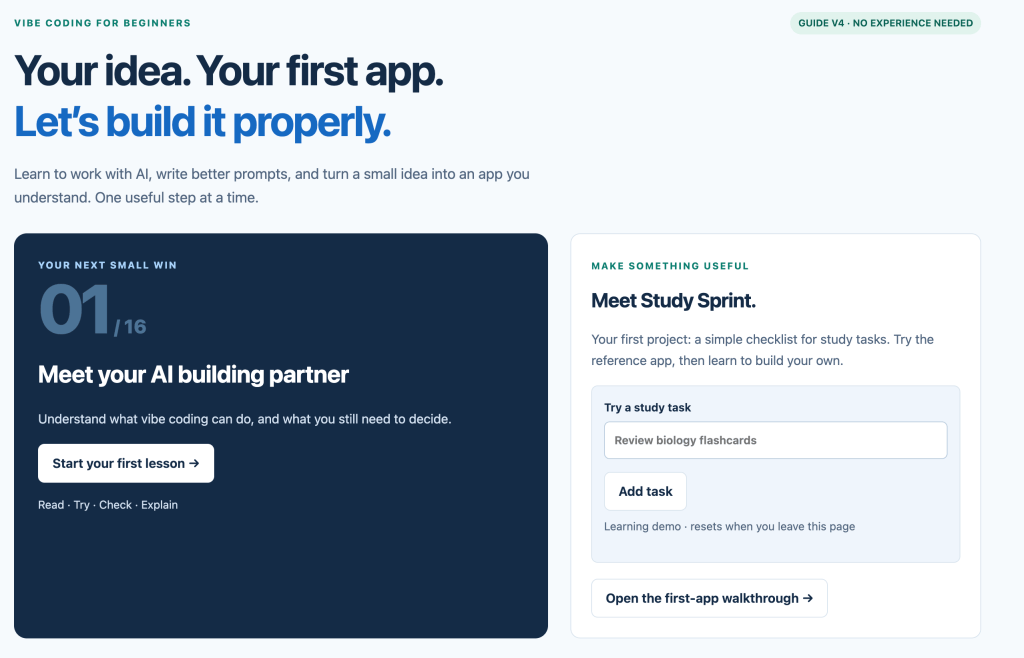
That is the idea behind Vibe Coding for Beginners V4, my newest interactive learning guide on DiscoveryVIP.
Try the guide:
https://discoveryvip.com/vibe-coding-v4/
V4 is designed for beginners who want to use AI to start building applications while developing the skills needed to understand, test, improve, and take ownership of what they create.
Instead of beginning with a blank code editor and a long list of syntax rules, you begin with an idea.
Then you work through a practical cycle:
Learn → Describe → Build → Check → Improve
What Is Vibe Coding?
Vibe coding changes the starting point of programming.
Traditionally, you might first learn syntax, memorize commands, study programming concepts, and eventually combine those skills to create an application.
With vibe coding, you can start with what you want to create.
You describe the goal, requirements, interface, behavior, and constraints to an AI coding assistant. The AI helps generate the implementation, and you become responsible for directing and evaluating the result.
That last part is important.
Good vibe coding isn’t simply:
“Build me an app.”
It is an iterative process of describing what you need, examining what was produced, testing it, identifying problems, refining your instructions, and improving the application.
V4 was created to help beginners learn that process.
A Beginner-Friendly Learning Path
The guide provides a structured learning journey rather than dropping you into a collection of disconnected prompts.
You can move through the material at your own pace while learning how ideas become instructions and instructions become working applications.
The goal is to gradually shift your thinking from:
“What prompt should I type?”
to:
“What exactly am I trying to build, and how can I clearly communicate those requirements?”
That is a much more useful skill.
Learn How to Create Better Coding Prompts
One of the central parts of V4 is the Prompt Studio.
AI coding results depend heavily on the information and context you provide.
Instead of treating prompting as a magic phrase, the guide encourages you to think about important details such as:
- What are you building?
- Who will use it?
- What should the user be able to do?
- What information does the application need?
- What should the interface look like?
- What happens when something goes wrong?
- How will you know the application works correctly?
Thinking through these questions improves both your prompts and your understanding of the application itself.
Practice Instead of Just Reading
Learning becomes much more useful when you actually do something with the information.
That’s why V4 includes a Practice Arcade where learners can apply the ideas they encounter throughout the guide.
The objective isn’t to memorize definitions.
It’s to develop the habit of examining a problem, making a decision, trying something, checking the result, and improving it.
Those habits matter whether you’re using AI or writing every line of code yourself.
Build Your First App
Eventually, learning about coding needs to turn into building something.
V4 includes a Build Your First App section that helps learners move from an idea toward an actual project.
This is where vibe coding becomes especially interesting for beginners.
You don’t have to wait until you’ve mastered an entire programming language before experimenting with your own ideas.
You can start building while you’re learning.
When the AI produces something you don’t understand, that becomes an opportunity to investigate it.
Ask what a function does.
Explore why a particular approach was used.
Change a feature and see what happens.
Test an assumption.
Break something and figure out why it broke.
The application itself becomes part of your learning environment.
Checking AI-Generated Code Matters
AI can produce convincing code that is incomplete, inefficient, insecure, or simply wrong.
That means checking the result is part of vibe coding.
V4 includes a Launch Checklist to reinforce the idea that generating code isn’t the final step.
Before considering a project finished, you should think about functionality, usability, errors, edge cases, accessibility, privacy, security, and maintainability.
AI can help with each of these areas, but the human builder still needs to ask the questions.
Your Learning Progress Stays With You
V4 also includes interactive progress features.
Your work can be saved locally in your browser, and the guide provides options for exporting and importing progress.
This makes the guide feel less like a traditional article and more like an interactive learning workspace.
The guide also deliberately reminds users not to enter passwords, API keys, or private client information into saved work.
Tool-Neutral by Design
Another important aspect of the guide is that it isn’t built around one particular AI company or coding platform.
The learning experience itself doesn’t require an AI account.
You can learn the process independently and then apply the concepts using the AI and development tools that make sense for your project.
Tools will change.
Models will improve.
Interfaces will come and go.
The more durable skill is learning how to clearly define what you want, communicate requirements, evaluate results, and iterate toward something better.
Vibe Coding Should Still Teach You Something
One concern I have with AI-assisted development is the temptation to accept whatever the AI produces.
That can make development faster, but it doesn’t necessarily make someone a better builder.
My approach to vibe coding is different.
Use AI to accelerate the process, but remain curious about what is happening.
When you encounter unfamiliar code, investigate it.
When something doesn’t work, determine why.
When the AI makes a decision, ask whether that decision makes sense.
Over time, you’re not only creating applications. You’re developing a better mental model of software development.
Start Building
Vibe Coding for Beginners V4 is designed to help you move from curiosity to creation through a structured, interactive process.
You don’t need to know everything before you begin.
Start with an idea.
Describe it clearly.
Build a small version.
Check what happened.
Improve it.
Then repeat.
That’s where the real learning happens.
Explore Vibe Coding for Beginners V4:
https://discoveryvip.com/vibe-coding-v4/
Learn → Describe → Build → Check → Improve