
Learn to write smarter JavaScript, understand asynchronous code, and build useful applications — plus explore three free interactive learning studios.
JavaScript is one of the most versatile programming languages available today.
You can use it to build interactive websites, create server-side applications, process data, automate repetitive tasks, and connect different services together.
But there’s an important difference between knowing JavaScript syntax and knowing how to use JavaScript effectively.
Many developers learn variables, functions, loops, and arrays. They can follow tutorials and reproduce examples. Yet when it’s time to build something independently, things become more challenging.
Why?
Because real development requires more than remembering syntax. It requires understanding how data moves through an application, how asynchronous operations work, and how to organize code so that it remains understandable and maintainable.
In this edition, we’ll explore three practical JavaScript skills you can start improving today.
You’ll learn something useful even if you never open any of the resources featured at the end.
1. Stop Writing Loops for Everything: Think in Data Transformations
One of the most useful improvements you can make to your JavaScript code is learning to work with arrays more effectively.
Imagine you have a list of products:
const products = [
  { name: "Laptop", price: 850, stock: 5 },
  { name: "Mouse", price: 25, stock: 0 },
  { name: "Keyboard", price: 75, stock: 12 },
  { name: "Monitor", price: 320, stock: 3 }
];
Your goal is to find all available products costing less than $500 and display their names.
A traditional approach might use a loop, several conditions, and a new array.
But modern JavaScript provides a more expressive solution.
const available = products
  .filter(product => product.stock > 0)
  .filter(product => product.price < 500)
  .map(product => product.name);

console.log(available);
Output:
["Keyboard", "Monitor"]Notice what’s happening.
First, filter() removes products without stock.
Second, another filter() removes products costing $500 or more.
Finally, map() extracts just the product names.
Each operation has a specific responsibility.
Why this matters
When you organize your code into clear transformations, you gain several advantages:
- Your code becomes easier to read and explain.
- Individual operations are easier to test.
- You can reuse the same patterns with different datasets.
- You reduce the need for temporary variables and complex loop logic.
This approach is especially useful when processing API responses, creating dashboards, filtering search results, or generating reports.
Try this challenge
Modify the example so that it returns the names of available products costing less than $500, sorted alphabetically.
Hint: Explore JavaScript’s sort() method.
Key takeaway
Think about what you want to do with the data rather than immediately deciding which loop to write.
Ask yourself:
Am I filtering, transforming, searching, sorting, or combining data?
Once you understand the operation, selecting the appropriate JavaScript method becomes much easier.
2. Understand Async/Await: JavaScript Doesn’t Always Wait
One of the most confusing areas for developers learning JavaScript is asynchronous programming.
Consider this example:
console.log("Step 1");

setTimeout(() => {
  console.log("Step 2");
}, 1000);

console.log("Step 3");
What order will the messages appear?
If you’re new to asynchronous programming, you might expect:
Step 1
Step 2
Step 3
But the actual output is:
Step 1
Step 3
Step 2
Why?
Because setTimeout() schedules a callback to run later. JavaScript continues executing the remaining synchronous code instead of waiting for the timer.
This behavior is essential for applications that need to remain responsive while waiting for network requests, timers, and other operations.
Using async/await
Now consider an application that retrieves information from an API.
async function loadUsers() {
  try {
    const response = await fetch(
      "https://jsonplaceholder.typicode.com/users"
    );

    if (!response.ok) {
      throw new Error("Request failed");
    }

    const users = await response.json();

    console.log(users);
  } catch (error) {
    console.error("Unable to load users:", error);
  }
}

loadUsers();
This example introduces several important ideas.
async declares a function that returns a Promise.
await pauses execution within that async function until the Promise settles, without blocking the entire JavaScript runtime.
try/catch handles errors that occur during the awaited operations.
response.ok checks whether the HTTP response indicates success, because fetch() does not automatically reject its Promise for ordinary HTTP error responses.
A common mistake
Developers sometimes assume that await automatically makes every asynchronous operation happen one after another.
That’s not always desirable.
Imagine loading three independent datasets.
You could write:
const users = await fetchUsers();
const products = await fetchProducts();
const orders = await fetchOrders();
These operations run sequentially.
But if none depends on the others, you could use:
const [users, products, orders] =
  await Promise.all([
    fetchUsers(),
    fetchProducts(),
    fetchOrders()
  ]);
Now the three operations can proceed concurrently.
This can reduce the total waiting time.
However, Promise.all() rejects if any one of its input Promises rejects. For tasks where you need to inspect both successes and failures, Promise.allSettled() may be a better choice.
Try this challenge
Create three functions that return Promises after different delays.
First, execute them sequentially.
Then, execute them using Promise.all().
Measure the difference using console.time() and console.timeEnd().
Key takeaway
Understanding asynchronous JavaScript isn’t just about learning async and await.
It’s about understanding when operations depend on one another, when they can run concurrently, and how your application should respond when something fails.
3. Write JavaScript That Can Be Reused, Tested, and Automated
A function that works once is useful.
A function that can be reused across multiple projects is even better.
One habit that separates maintainable JavaScript from difficult-to-manage code is separating business logic from the environment where it runs.
Let’s build a simple function that calculates an invoice total.
function calculateTotal(items, taxRate = 0.13) {
  const subtotal = items.reduce(
    (sum, item) => sum + item.price * item.quantity,
    0
  );

  const tax = subtotal * taxRate;

  return {
    subtotal,
    tax,
    total: subtotal + tax
  };
}
Now let’s test it.
const cart = [
  { price: 25, quantity: 2 },
  { price: 10, quantity: 3 }
];

const result = calculateTotal(cart);

console.log(result);
Output:
{
  subtotal: 80,
  tax: 10.4,
  total: 90.4
}
This function has several useful characteristics.
It accepts input, performs a calculation, and returns a result.
It doesn’t depend on HTML elements, browser events, a database, or a particular user interface.
That means you can reuse the same calculation in different environments.
In a browser application
You could connect the function to a shopping cart interface and display the results on a page.
In Node.js
You could use it inside a command-line tool, a server-side application, or an API endpoint.
In Google Apps Script
You could adapt it to process spreadsheet data and generate invoice summaries.
The underlying calculation remains the same.
Only the code responsible for obtaining inputs and delivering outputs needs to change.
Add a simple test
const result = calculateTotal(
  [{ price: 100, quantity: 2 }],
  0.10
);

console.assert(
  result.total === 220,
  "Total calculation failed"
);
This is a basic assertion, not a complete test suite, but it demonstrates an important principle:
Don’t just write code that appears to work. Write code whose behavior you can verify.
For financial applications, you’ll also need to consider decimal precision, rounding rules, and input validation.
Try this challenge
Extend calculateTotal() to accept an optional discount percentage.
Then test these scenarios:
- No discount
- A 10% discount
- An empty shopping cart
- A product with quantity zero
Decide whether the discount should apply before or after tax, and document that decision.
Key takeaway
When you write functions with clear inputs and outputs, your code becomes easier to test, reuse, maintain, and eventually integrate into larger applications.
Bringing These Three Skills Together
Let’s connect what we’ve learned.
Imagine you’re creating a reporting application.
You retrieve sales information from an API using async/await.
You use filter(), map(), and reduce() to transform the returned data.
You pass the results into reusable functions that calculate totals and generate summaries.
Finally, you display those summaries in a browser, expose them through a Node.js application, or automate a report using Google Apps Script.
This is how individual JavaScript concepts become useful applications.
The language doesn’t change.
What changes is how you combine the concepts to solve real problems.
And that’s where practical learning becomes especially valuable.
Go Further: Three Free JavaScript Learning Studios
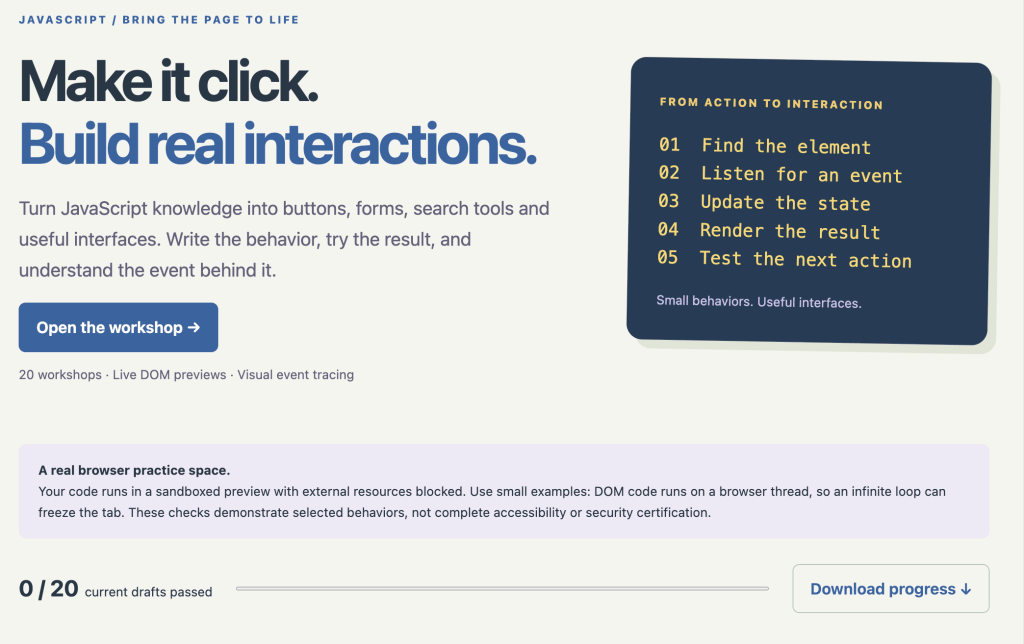
I’ve been expanding the interactive learning resources available on DiscoveryVIP to help developers move beyond reading examples and into practicing real development skills.
Here are three studios worth exploring, depending on what you want to build next.
1. JavaScript Studio — Strengthen Your Core JavaScript Skills
Learn JavaScript by writing, testing, debugging, and building.
JavaScript Studio is designed to help developers understand how JavaScript works through active practice rather than passive reading.
The studio includes:
- 24 guided lessons covering fundamental and advanced concepts.
- 95 executable code checks.
- Debugging exercises that challenge you to repair broken code.
- Visual labs for exploring arrays, the event loop, and browser state.
- Three practical project starters.
- Progress tracking and review activities.
You’ll work through topics such as functions, arrays, objects, closures, asynchronous programming, DOM interactions, browser storage, and testing.
Best for: Beginners building a strong foundation and experienced developers wanting to reinforce essential concepts.
Explore JavaScript Studio:
https://discoveryvip.com/javascript-studio
2. Node.js Studio — Take JavaScript Beyond the Browser
Learn how JavaScript powers server-side applications, command-line tools, and APIs.
If you’ve primarily used JavaScript in the browser, Node.js opens another world of development possibilities.
Node.js Studio helps you understand how JavaScript operates outside the browser and how to create practical applications using the Node.js runtime.
The studio features:
- 24 guided lessons.
- Seven interactive practice labs.
- Four practical projects.
- Lessons covering modules, file operations, asynchronous work, and HTTP.
- Downloadable starter code for local development.
It’s an opportunity to explore how the JavaScript skills you already know apply to backend development.
Best for: Frontend developers who want to expand into full-stack development and anyone interested in building JavaScript tools and APIs.
Explore Node.js Studio:
https://discoveryvip.com/nodejs-studio
3. Google Apps Script Studio — Turn JavaScript Into Real Automation
Use JavaScript to automate tasks and work with Google Workspace.
One of my favorite applications of JavaScript is automation.
Google Apps Script makes it possible to use JavaScript with Google Sheets, Docs, Gmail, Drive, and other Workspace services.
Google Apps Script Studio provides a structured environment for exploring automation concepts and practicing coding patterns before applying them to real projects.
The studio includes:
- 32 detailed lessons.
- 128 executable code checks.
- Simulated Apps Script services.
- Four visual learning labs.
- Four downloadable project starters.
- Guided debugging, testing, and review activities.
You can explore practical tasks such as processing spreadsheet data, building reports, validating information, and designing repeatable workflows.
Best for: Developers, educators, business users, and anyone interested in applying JavaScript to everyday automation.
Explore Google Apps Script Studio:
https://discoveryvip.com/apps-script-studio
Your Next Step: Build Something Small
You don’t need to master every JavaScript framework or tool to become a better developer.
Start with one useful problem.
Perhaps you want to:
- Filter and summarize data from an API.
- Create a simple Node.js reporting tool.
- Automate a repetitive spreadsheet task.
Choose one project and apply the ideas from this newsletter.
Write a small function. Test it. Identify one thing that could fail. Improve it.
Then ask yourself:
Can I explain why this code works, not just demonstrate that it works?
That’s the difference between copying a solution and developing a skill you can use again.
A Question for the JavaScript Community
JavaScript has grown far beyond its original role in web pages.
Today, the same language can support frontend development, backend services, automation, and full applications.
Where do you use JavaScript most?
- Frontend web development
- Backend development with Node.js
- Automation with Google Apps Script
- A combination of all three
Share your experience in the comments. I’d be interested to hear which JavaScript skills you’re learning or using most often.
About the author
Laurence Lars Svekis is a web developer, bestselling author, Google Developer Expert for Google Workspace, and online educator who has helped over three million students learn technology and development skills.
Through DiscoveryVIP, he creates practical coding resources, interactive learning tools, and hands-on guides designed to help learners move from understanding concepts to building useful projects.
Explore more free development tools and interactive guides:
https://discoveryvip.com/guides.php
https://discoveryvip.com/tools.php
Subscribe to JavaScript Code Examples & Learning:
https://www.linkedin.com/newsletters/javascript-code-examples-learn-7025674646964371456
#JavaScript #LearnJavaScript #WebDevelopment #NodeJS #GoogleAppsScript #JavaScriptDeveloper #Programming #Coding #SoftwareDevelopment #WebDeveloper #LearnToCode #FullStackDevelopment #DeveloperTools #CodingEducation #DiscoveryVIP