
APIs are everywhere in modern web development.
They connect websites to data, allow applications to communicate with services, power dashboards, provide information to mobile apps, and make it possible to build applications that work with constantly changing information.
But there is an important difference between copying an API example and actually understanding how APIs work.
That is why I created the APIs & Data Interactive Guide on DiscoveryVIP.
The goal isn’t simply to show you another fetch() example that you can copy into your project. Instead, the guide gives you an environment where you can build requests, inspect responses, work with JSON, troubleshoot problems, and develop a practical understanding of the request-and-response process.
Explore the interactive guide:
DiscoveryVIP APIs & Data Interactive Guide
https://discoveryvip.com/api-data-guide
From API Request to Useful Data
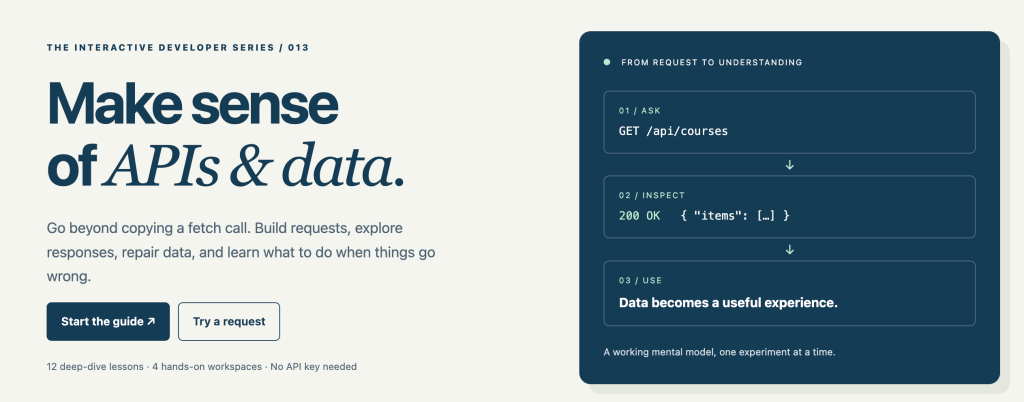
At its simplest, working with an API follows a process:
Ask → Inspect → Use
Your application sends a request.
The server returns a response.
Your JavaScript examines that response and turns the returned data into something useful.
For example, you might request a collection of courses:
GET /api/courses
The server could respond successfully with a 200 OK status and JSON containing the available course information.
But real development quickly becomes more complicated.
What happens when the endpoint doesn’t exist?
What happens when your request contains invalid information?
What does a 404 response actually tell you?
What is the difference between GET and POST?
How should JSON data be structured?
What happens if the response isn’t what your application expected?
Understanding these situations is much more valuable than memorizing a single API request.
12 Interactive Lessons
The guide contains 12 deep-dive lessons designed to develop your understanding progressively.
Each lesson combines explanation with experimentation.
Rather than only reading about a concept, you’re encouraged to:
Read → Predict → Experiment → Explain
That last step is particularly important.
If you can explain why an API request worked—or why it failed—you are developing a mental model that can be applied to APIs you encounter in future projects.
Experiment Safely in the Request Lab
One of the most useful parts of the guide is the Request Lab.
It provides a simulated API where you can experiment with different requests without needing an API key or external service.
You can change things such as the HTTP method, endpoint, topic, page, request body, and response scenario.
Then you can immediately inspect the result.
For example, you can compare a normal successful request against a deliberately failed request.
This makes HTTP status codes and API behavior much easier to understand because you’re seeing the result of your decisions instead of simply reading definitions.
The simulator is deliberately focused on learning. Requests happen locally and simulated POST requests aren’t permanently stored.
Learn GET and POST Requests
Two HTTP methods you’ll encounter frequently are GET and POST.
A GET request normally asks a server for information.
A POST request normally sends information that the server can process or use to create something.
The guide lets you experiment with both.
For POST requests, you can work with JSON request bodies and see what happens when required information is valid, missing, or incorrectly formatted.
This introduces an important development skill:
Understanding an API contract.
An API contract describes what information an endpoint expects and what you can expect it to return.
Once you understand the contract, API development becomes much less mysterious.
Work With JSON in the JSON Workshop
APIs commonly exchange information using JSON.
Knowing JavaScript syntax isn’t enough—you also need to become comfortable examining and validating structured data.
The guide’s JSON Workshop provides a space for doing exactly that.
You can load practice data, validate its structure, explore records, filter information, and sort the resulting data.
This helps connect two important concepts:
API response → JSON data → JavaScript application
Instead of seeing JSON as a wall of brackets and properties, you begin seeing it as structured information your application can inspect and transform.
Learn to Debug API Problems
API development doesn’t always work on the first attempt.
In fact, troubleshooting requests is an important part of working with APIs.
The guide includes a Debugging Clinic where you’re presented with different situations and asked to determine the next useful action.
The objective isn’t simply to find the correct answer.
It’s to understand the reasoning behind it.
A useful debugging habit is:
Find the cause before trying to fix the code.
Check the request.
Check the endpoint.
Check the method.
Check the status code.
Check the response.
Check the data structure.
This systematic approach is far more effective than randomly changing code until something starts working.
Build Something You Can Explain
The guide also includes a Project Workbook that helps you apply what you’ve learned to your own course explorer project.
You can record the visitor goal, API contract, implementation plan, and evidence from your manual tests.
Your progress is saved locally in your browser, and you can export a backup if you want to keep or transfer your work.
This moves the learning process beyond completing exercises.
The objective becomes building something while being able to explain why it works.
No API Key Required
One challenge when teaching APIs is that external services often introduce additional complexity.
You might need to create an account, obtain an API key, configure authentication, deal with usage limits, or troubleshoot CORS before you’ve even learned the underlying concept.
The DiscoveryVIP guide avoids those distractions during the initial learning process.
The Request Lab uses a fictional API simulation, so you can concentrate on requests, responses, JSON, status codes, validation, and debugging first.
Once those concepts make sense, working with real APIs becomes much easier.
A Better Way to Learn APIs
AI can now generate an API request almost instantly.
You can ask an AI assistant to create a JavaScript fetch() request and receive working-looking code within seconds.
But generated code doesn’t remove the need to understand what’s happening.
You still need to know whether the endpoint is correct, whether the method is appropriate, whether the returned status indicates success, whether the JSON structure matches your assumptions, and what to investigate when something fails.
That’s why experimentation matters.
Don’t just ask AI for code.
Ask questions such as:
What request is being made?
What response should I expect?
What assumptions is this code making about the returned JSON?
What could cause this request to fail?
How can I verify that the response contains what my application expects?
Those questions turn AI-generated code into a learning opportunity.
Start Exploring APIs and Data
If you’re learning JavaScript and want to move beyond static pages, APIs are an important next step.
They open the door to applications that can retrieve, process, display, and interact with external data.
The best way to understand them is to experiment.
Change the request.
Inspect the response.
Break something intentionally.
Figure out why it broke.
Fix it.
Then build something of your own.
That’s what the DiscoveryVIP APIs & Data Interactive Guide is designed to help you do.
Start the free interactive guide:
https://discoveryvip.com/api-data-guide/
Learn by building. Understand by experimenting.